
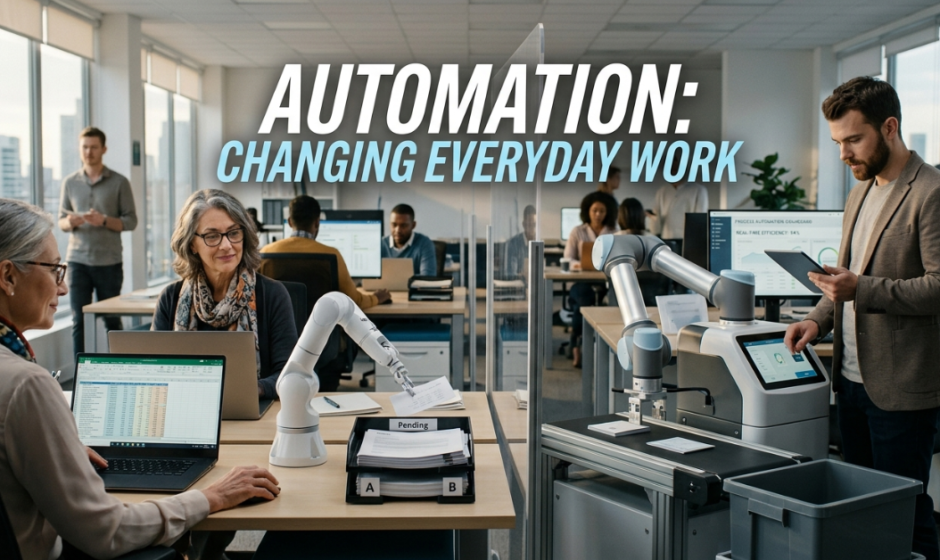

Automation used to feel like a distant idea. Big factories, complex robots, advanced software for huge companies. That picture has changed. In 2026, automation lives inside the small daily tasks of almost every job. It sorts emails, schedules meetings, drafts reports, tracks shipments, and answers basic questions. Yet most workers still have a job, and most teams still need humans at the center.
The real story of automation is not about replacement. It is about reshaping. The tools handle the boring parts. People handle the parts that need judgment, creativity, and care. This guide looks at how that shift is playing out across everyday work and what it means for the rest of 2026.
The New Reality of Automation in Daily Work
For a long time, the fear was simple. Robots and software would take every job. That fear has faded as the real impact has become clearer. Automation rarely replaces a full role. It removes the small, repeat tasks inside that role. A marketer still plans campaigns, but a tool now sets up the email sequence. A finance worker still reviews reports, but software pulls the numbers in seconds.
This shift saves time. It also raises the bar for what counts as good work. When the basic tasks are done for you, the value comes from the parts only people can handle well. Resources like barthturf cover how these changes are reshaping work life and personal routines in everyday settings.
Tasks That Have Quietly Become Automated
Many tasks have moved to automation without much noise. Calendar invites, follow up emails, expense reports, simple data entry, basic customer replies, and content tagging all run on automated systems now. Most workers do not even notice anymore. They just notice they have more time.
This quiet shift has freed hours each week for many roles. The trick is using that time well, not filling it with more low value work.
Why Full Replacement Has Not Happened
Full job replacement has been slow for clear reasons. Real work is messy. Customers ask odd questions. Teams face unique challenges. Plans change midweek. Software still struggles with judgment, empathy, and tasks that need real world context.
The strongest tools today are partners. They give people a head start, but they need human review to finish the job well.
How Automation Shows Up in Different Roles
Automation looks different across jobs. The pattern is the same, though. Small tasks get faster. Big tasks still need a person. Here are a few clear examples from 2026.
In Office and Admin Work
Office work was one of the first areas to feel real change. Calendar tools now suggest meeting times, draft agendas, and send follow ups. Email assistants sort messages by priority, flag urgent ones, and write quick replies. Document tools format reports, fix grammar, and pull data from spreadsheets without manual work.
Admin staff still play a key role. They handle the parts that need taste, sensitivity, and quick judgment. Automation just frees them from the parts that used to eat their day.
In Customer Support
Customer support has changed a lot, but humans are still central. Chatbots handle simple questions like order status, password resets, and basic billing. When the issue gets complex, a real person steps in. Tools also help agents by pulling customer history, past issues, and possible solutions onto one screen before they reply.
The result is faster service for easy issues and more focused care for tough ones. Customers usually prefer this mix when it is set up well.
In Marketing and Sales
Marketing and sales teams now run on a steady stream of automation. Email drips, social posts, lead scoring, and basic reporting all run in the background. Sales reps spend less time on data entry and more time on real conversations.
Strategy, creative work, and relationship building remain firmly human. Automation drafts the message. People make it land.
In Creative Fields
Even creative fields have shifted. Writers use tools for outlines and edits. Designers use AI features inside their main software. Video editors use automation to trim clips, generate captions, and clean audio. The work flows faster, but the creative direction still comes from people.
The best creators treat these tools as helpers, not replacements. The voice and vision stay with the artist.
The Benefits of Automation Done Right
When automation fits the job, the benefits are clear. Done well, it makes work calmer, faster, and more focused. Here are the wins most teams report in 2026.
More Time for Meaningful Work
The first big win is time. Workers save hours each week on small tasks. That time can go to deeper thinking, planning, learning, or simply working at a healthier pace. Many teams use the time saved to focus on strategy, not just output.
Fewer Errors on Repeat Tasks
Software is good at repeat work. It does not get tired. It does not skip a step on a Friday afternoon. For tasks like data entry, basic reports, and routing, automation tends to make fewer errors than overworked people doing the same task by hand.
Cleaner Tools and Inboxes
Email clutter is one of the most draining parts of modern work. Automation tools that filter, label, and unsubscribe make a real difference. Services like CleanMailr help workers cut down on noisy promo emails, sort what matters, and reach inbox zero without spending an hour each morning. A clean inbox is a small thing that creates large daily wins.
The Risks of Leaning Too Hard on Automation
Automation is powerful, but it has limits. Teams that lean too far on it run into real problems. Smart teams know when to slow down and put a human back in the loop.
Losing the Personal Touch
Customers notice when every reply feels canned. They notice when a brand sounds the same on every channel. Over automation can drain the warmth from a business. The fix is simple. Use tools for speed, but keep humans in charge of voice and care.
Skill Loss Over Time
When tools do too much, people can forget how to do the basics. New hires may struggle if they never learn the manual version of a task. Strong teams still teach the core skills, even when the tools handle them daily. This keeps everyone sharp when something breaks.
Trust and Privacy Concerns
Many automation tools rely on user data. Customers and employees want to know what is collected and how it is used. Brands that are clear about this earn trust. Brands that hide it lose it. Privacy is now part of every automation decision, not a side topic.
How to Use Automation Well in 2026
Getting value from automation is less about picking the fanciest tool and more about using simple tools in smart ways. A few habits make a big difference.
Start Small and Track the Wins
Pick one task that drains time each week. Automate it. Track the time saved. Use that time for something more valuable. Once that works, add another. Slow and steady beats rushing into a giant new system that no one fully understands.
Keep Humans in the Loop
Automation works best when a person reviews the important parts. Customer messages, big decisions, money transfers, and content that goes public should usually pass a quick human check. This keeps quality high and surprises low.
Train Teams on the New Mix
When tools change roles, teams need fresh training. Show people how to use the new tools, what to trust, and what to double check. Teams that learn together adapt faster and feel less stress when something shifts.
What Comes Next for Everyday Automation
Automation will keep growing through 2026 and beyond, but the pattern is now clearer. Tools will keep getting better at small tasks. Humans will keep owning the parts that need real thought. The mix will shift in small steps, not big jumps.
The workers who win in this future are the ones who learn to lead automation, not fight it. They pick the right tools. They keep their core skills. They use the time saved to do work that only people can do well.
That is the heart of the shift. Automation is not the end of human work. It is a chance to do more of the work that actually matters.
Frequently Asked Questions
Is automation going to replace most jobs by 2030?
Most experts now agree that full job replacement is slow and rare. Automation usually changes tasks within a role rather than removing the whole role. New jobs also keep emerging around the tools themselves.
Which jobs are most affected by automation in 2026?
Office, admin, basic customer support, data entry, and routine creative tasks are most affected. Roles that need judgment, empathy, hands on skill, or complex problem solving remain firmly human led.
How can I learn to work with automation tools?
Start with one tool you already use, like email or your calendar. Explore its built in automation features. Then move to lightweight tools that connect apps together. Free training videos and short courses are widely available.
Can small businesses benefit from automation?
Yes. Small teams often gain the most from simple automation. Tools that handle invoicing, scheduling, follow ups, and inbox cleanup save real hours each week. The setup cost is low, and the time saved adds up fast.
How do I keep work feeling human while using automation?
Use tools to handle the boring parts, then spend the saved time on real conversations and creative work. Review customer messages by hand. Add personal notes where they matter. Let speed serve warmth, not replace it.
What is the biggest mistake teams make with automation?
The biggest mistake is automating too much too fast. When teams skip planning and human review, errors slip through, quality drops, and trust takes a hit. Start small, test often, and grow the system at a steady pace.
Read Also: Why Digital Trust Is Becoming More Important Than Digital Convenience